 Mesh++ by Polyprod
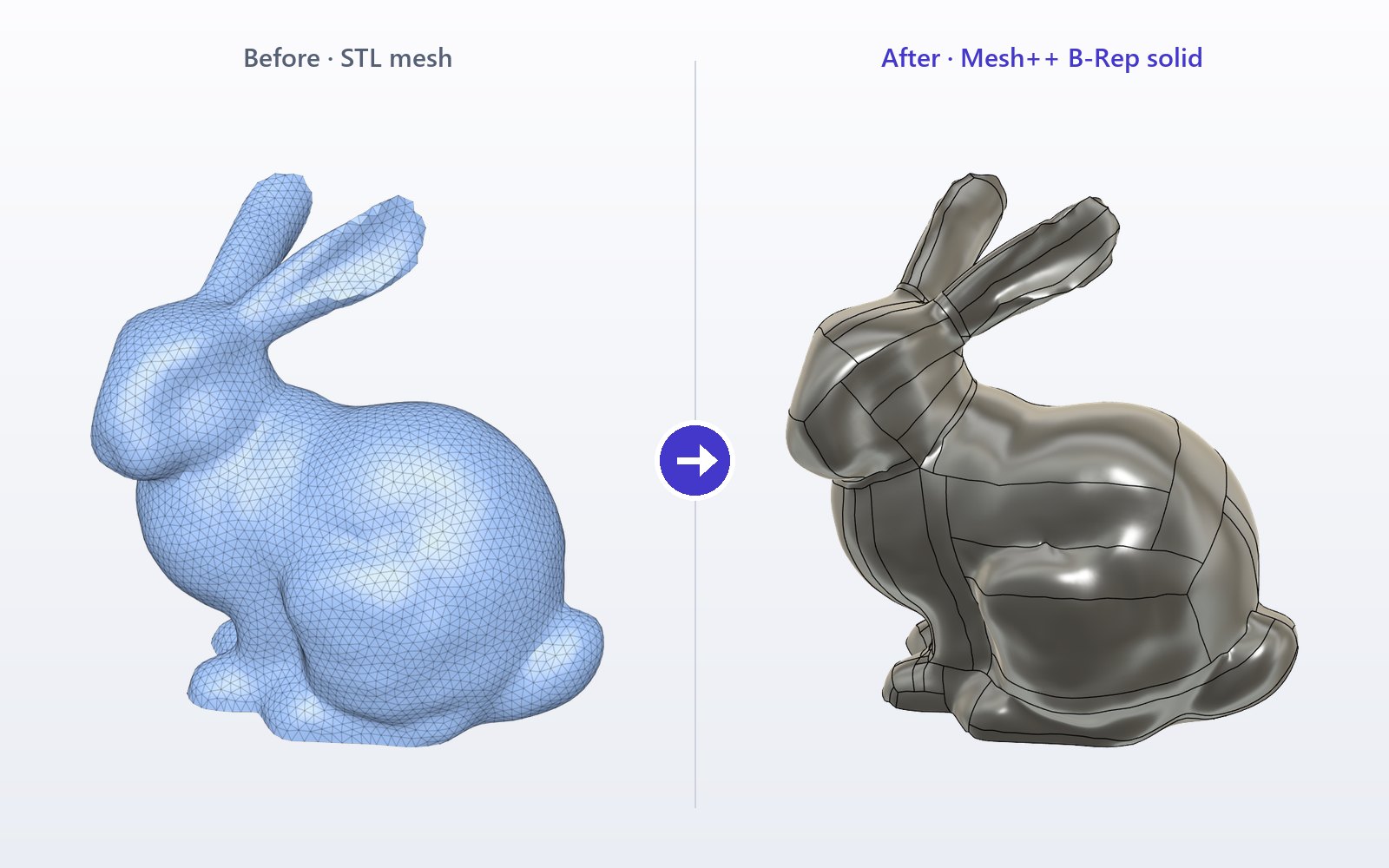

Organic: mesh to T-Spline solid
Scans, sculpts and freeform shapes become smooth solids you can edit.
- Sharp edges kept
- Detail level you choose
- Solid or surface
 Add-in for Autodesk Fusion · Windows
 Repair
 Convert
 Sketch
 Create
 Modify
Scans, sculpts and freeform shapes become smooth solids you can edit.
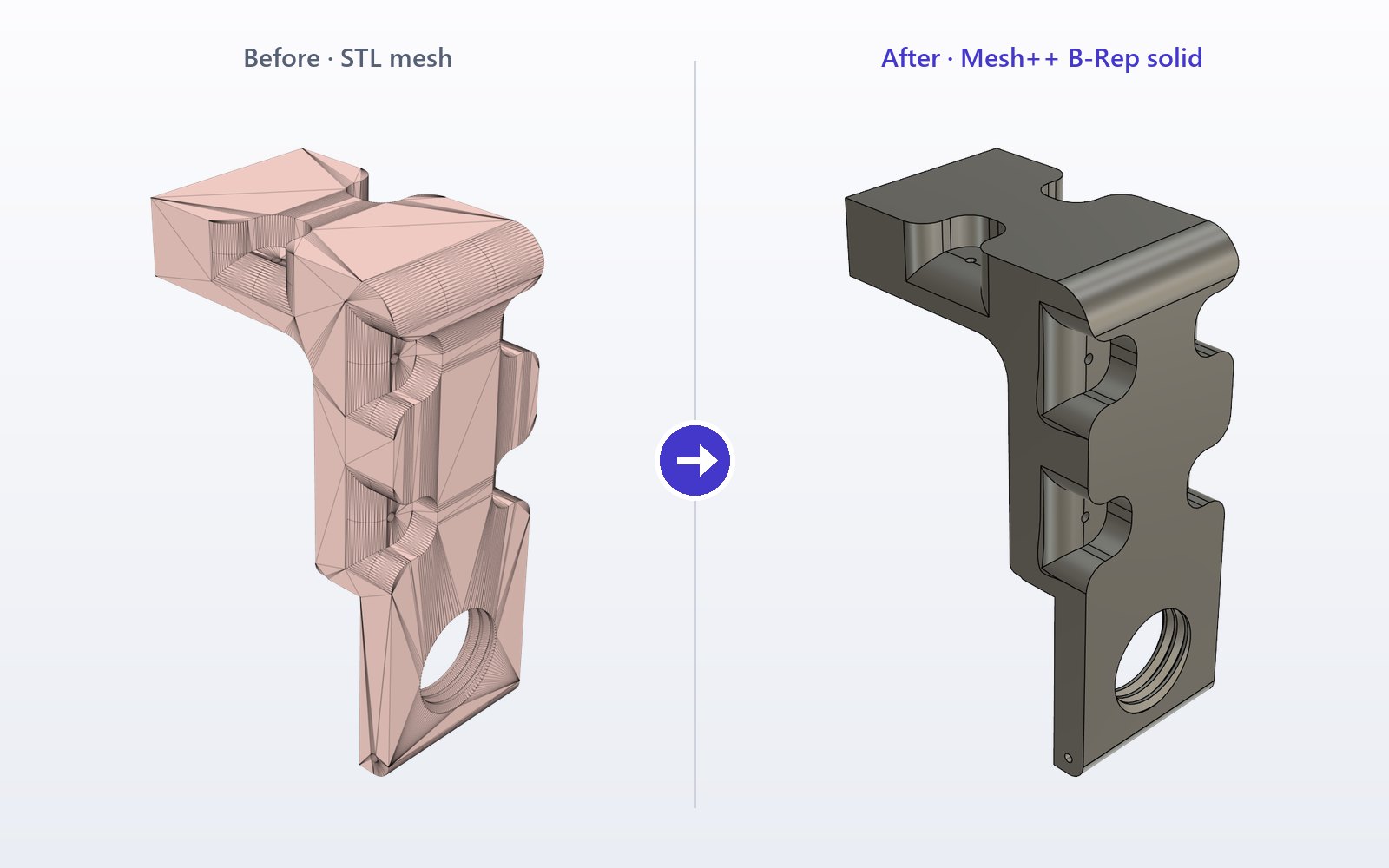
CAD parts come back as real planes, holes and fillets you can edit.
Close holes and fix broken triangles.
Draw splines and polylines right on the mesh.

Trace sharp edges as exact lines, arcs and circles.
Sweep a curve into a ribbon or a profile.
Cut a mesh into pieces, like Split Body.
Fill your 3D printer build volume in one click.
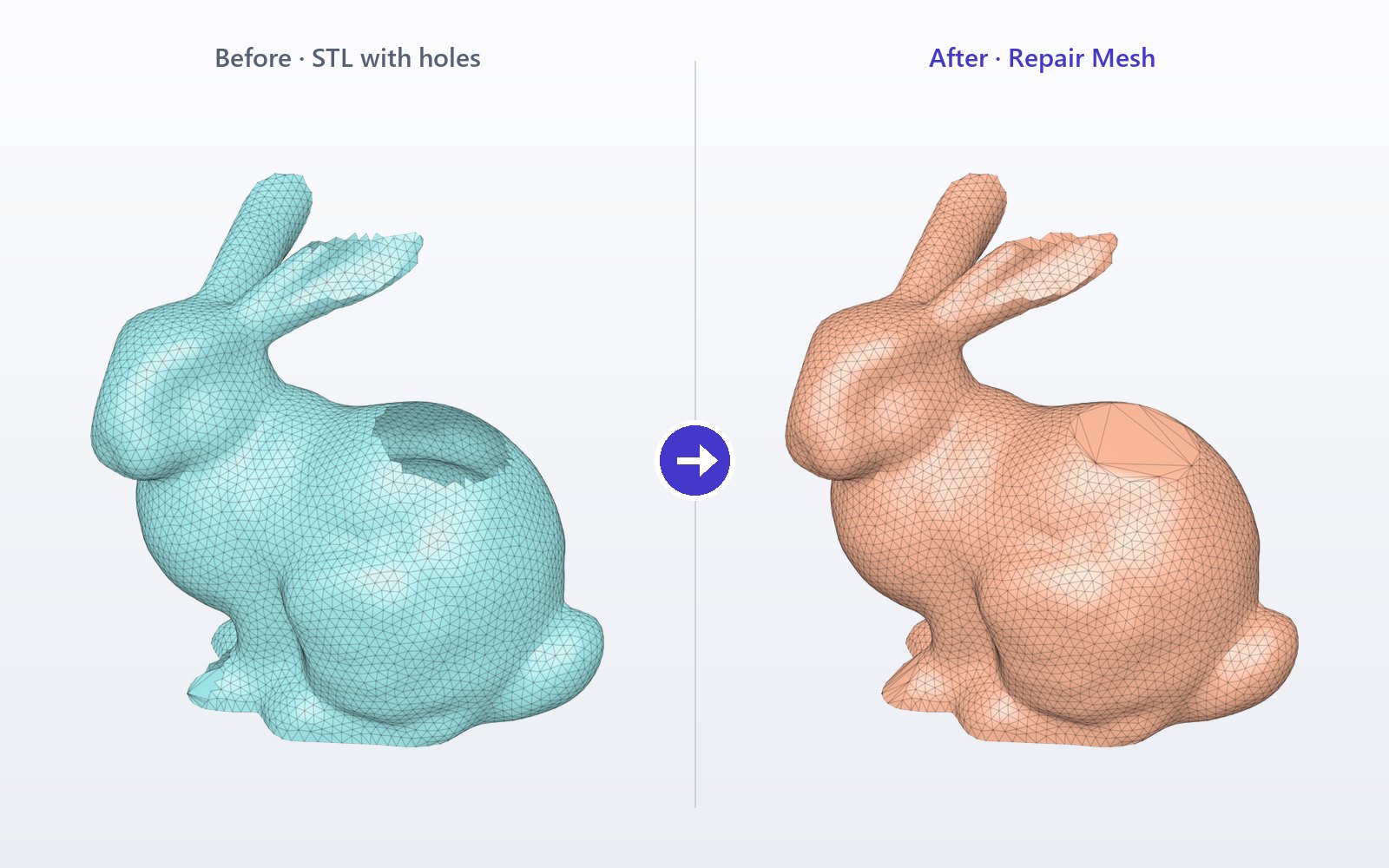 Repair
Close holes and fix broken triangles before you convert or print.
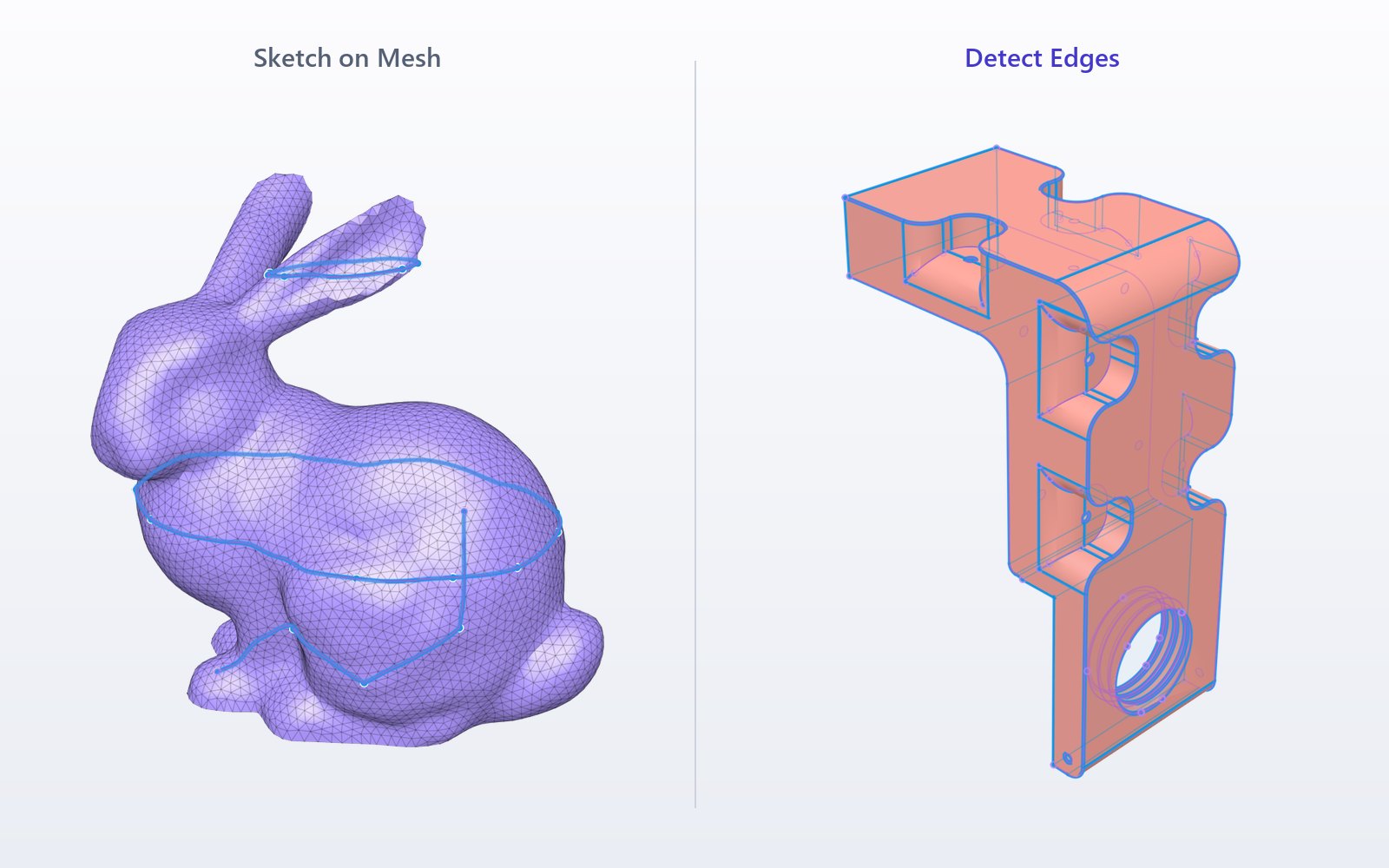 Sketch › Sketch on Mesh
Draw curves that follow the surface, or let Detect Edges trace the sharp edges for you.
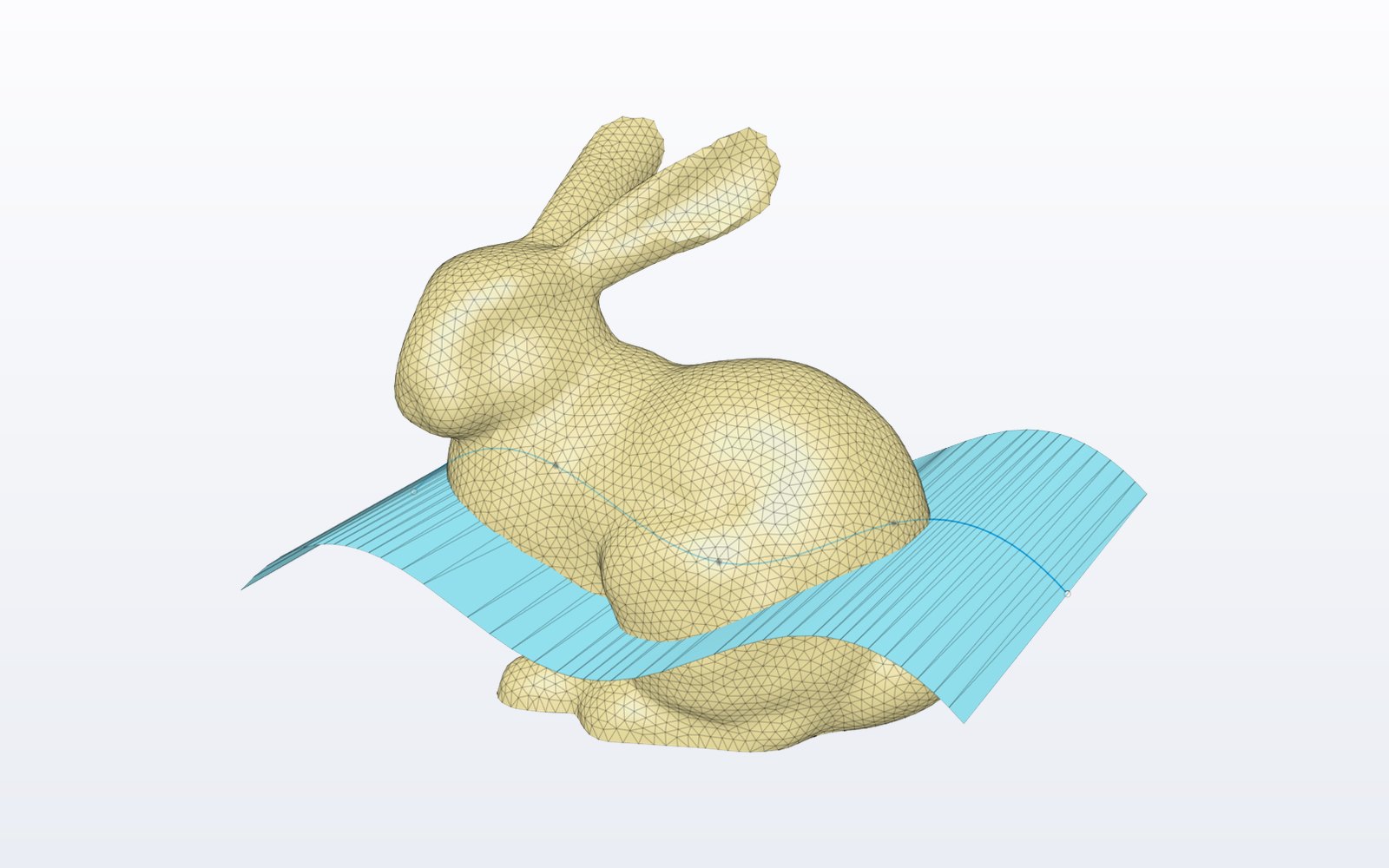 Create › Extrude Spline to Mesh
Sweep a curve into a ribbon, rectangle or ellipse, straight or normal to the mesh.
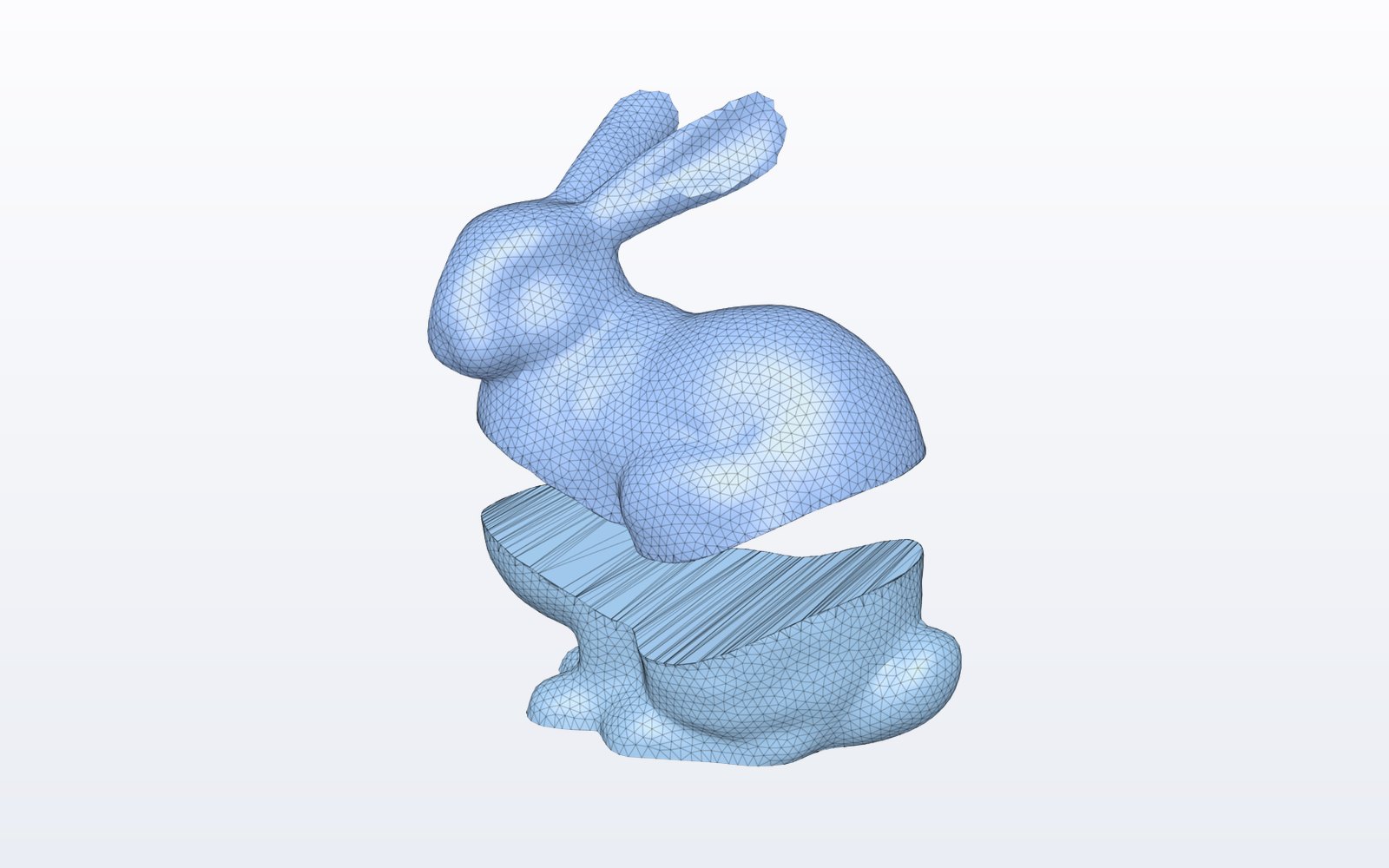 Modify › Split Mesh
Cut a mesh with other meshes, the way Split Body works.
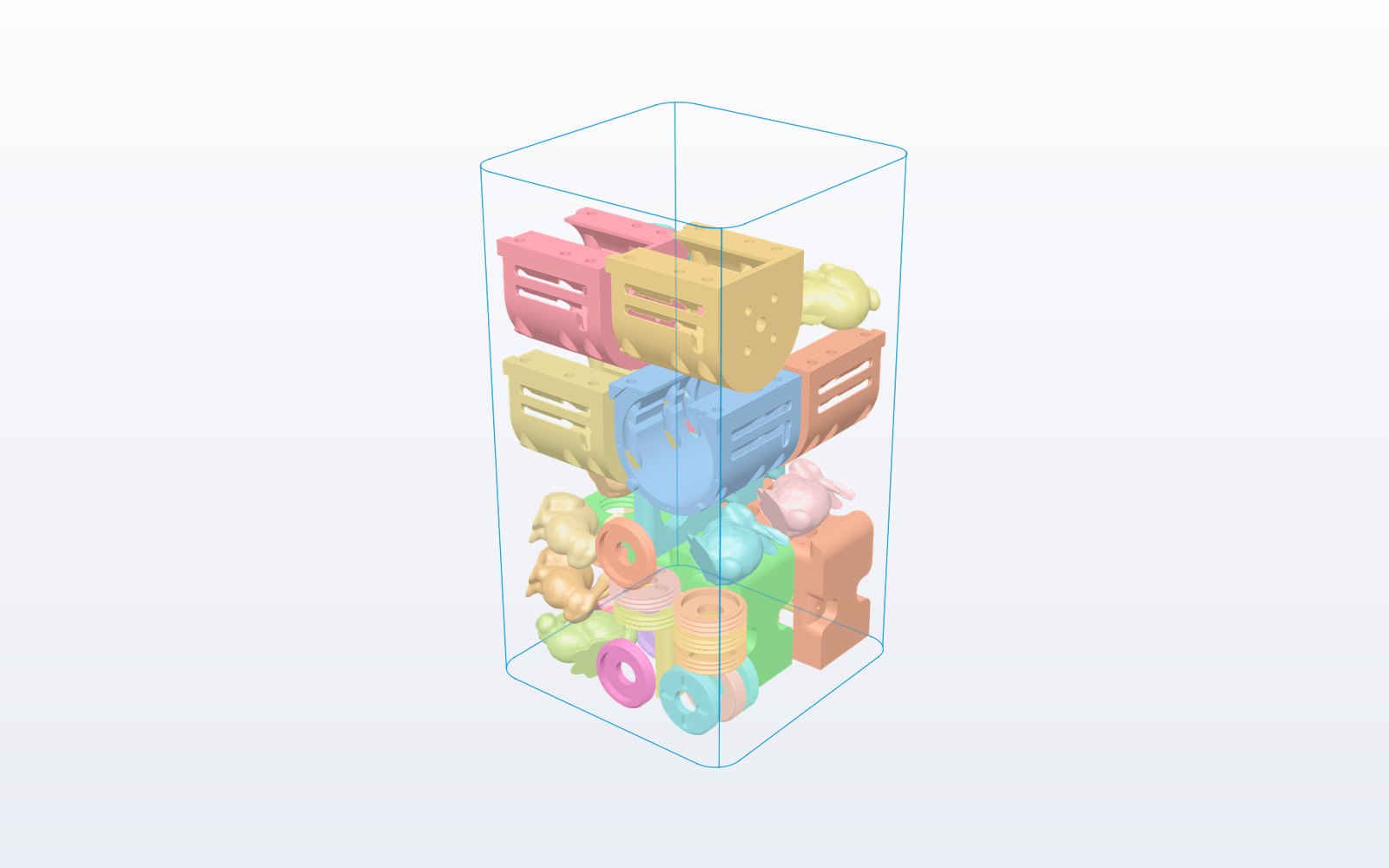 Modify › Pack Meshes
Fit as many parts as possible in your printer, with meshes, solids and surfaces.
STL, OBJ or 3MF, with Insert Mesh as usual.
Open the Mesh++ tab and choose Organic or Mechanical.
The solid lands in your timeline as native Fusion geometry.
Turn a scan into a smooth solid you can measure and cut.
OrganicRebuild a part from its STL and edit it like any Fusion design.
MechanicalRepair, split and pack your parts for printing.
Repair · Split · PackBring ZBrush or Blender sculpts into Fusion as solids.
OrganicPay once, keep Mesh++ forever. No subscription.
Organic conversion
Mechanical conversion
Repair Mesh
Sketch on Mesh
Detect Edges
Extrude Spline to Mesh
Split Mesh
Pack Meshes
All included in every licence.
For makers, hobby projects and personal prints.
For businesses, freelancers and any paid work.
Your Polyprod Pro licence works with Mesh++ as it is. Sign in to see your licences.
Download Mesh++ from your account right after payment. Prices in euros, VAT included, secure payment by Stripe. Several licences? Contact us.
Insert the STL with Insert Mesh, open the Mesh++ tab and run Mesh to Brep: Organic for scans and sculpts (a smooth T-Spline solid), Mechanical for parts designed in CAD (planes, cylinders, holes and fillets as native features). The solid lands in your timeline and the mesh is kept.
Autodesk Fusion (formerly Fusion 360) on Windows 10 or 11, 64-bit. The conversion engine is bundled with the add-in: there is nothing else to install. The beta clean CAD reconstruction also uses a local Python with NumPy and SciPy. Mesh++ is not available on macOS.
Any mesh body in Fusion: STL, OBJ or 3MF files inserted with Insert Mesh, from 3D scanners, photogrammetry, sculpting tools or CAD exports. Closed meshes give solids; open meshes give surfaces with Organic.
Use Organic for scans, sculpts and freeform shapes: it gives a smooth T-Spline body. Use Mechanical for parts that were designed in CAD: it rebuilds planes, cylinders, holes, pockets and fillets as native Fusion features.
Feature recognition covers the common CAD families: extrusions, revolutions, holes and counterbores, pockets and constant fillets. The clean CAD reconstruction handles other shapes and is still in beta.
Right after payment, sign in to your account: the Mesh++ download and the installation steps are there. Unzip the folder, add it in Fusion from Utilities > Scripts and Add-Ins, and click Run. Your downloads stay available in your account.
A licence is used on one computer at a time. Sign out of Mesh++ to move it to another computer, or release it from your account if the first one is no longer available. You can change computer once a day; buy one licence per simultaneous user.
Mesh++ checks your licence online when Fusion starts, which Fusion does anyway. If your computer is offline, Mesh++ keeps working for up to 6 days after the last successful check.
No. You pay once, keep your licence for life and get every Mesh++ update: 49 € for personal use, 199 € for commercial use.
The Personal licence is for non-commercial use: hobby projects, learning and personal prints. As soon as Mesh++ is used for a business or for paid work, choose the Commercial licence.
Yes. A Polyprod Pro licence also unlocks Mesh++.
No. All the computation runs on your computer with the bundled engine. Your models are never uploaded.
Get Mesh++ for Autodesk Fusion with a lifetime licence, from 49 €.